No products added!
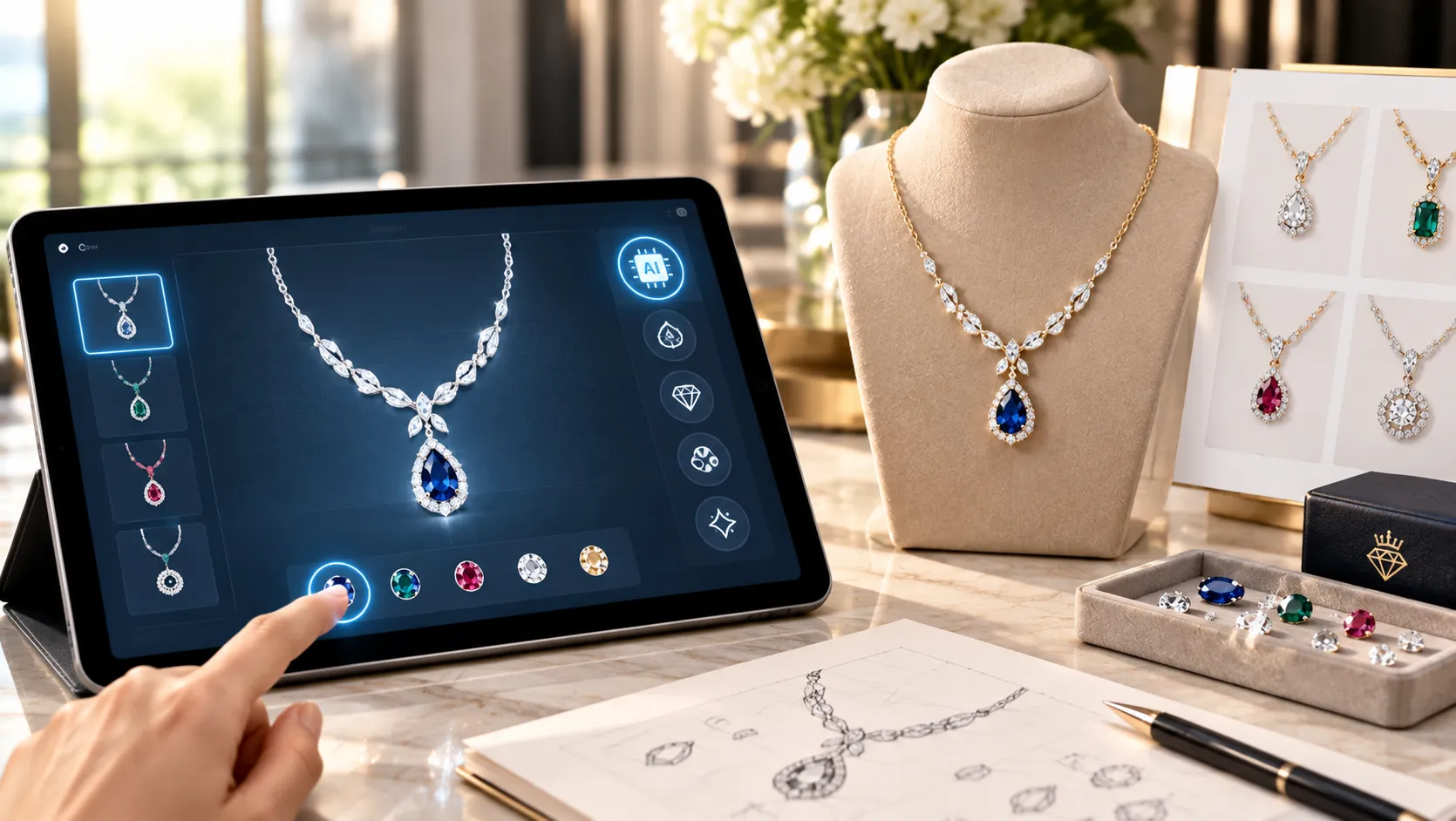
Designing a custom necklace traditionally starts with an idea, sketch, or reference image. From there, a jewelry designer develops the concept, creates a detailed drawing or CAD model, selects appropriate materials, and eventually turns the design into a physical piece. Artificial intelligence is adding a new step to this process by making it possible to visualize necklace ideas quickly from text descriptions, sketches, and reference images.
AI necklace design can be useful for exploring pendant shapes, chains, gemstone arrangements, initials, names, symbols, and different metal finishes before moving into professional jewelry design and manufacturing.
However, an AI-generated necklace image should generally be viewed as a creative concept rather than a manufacturing-ready design. Understanding what AI can and cannot do is important when using it to create a truly custom necklace.
What Is AI Necklace Design?
AI necklace design uses generative artificial intelligence to create visual jewelry concepts based on instructions supplied by the user.
Instead of beginning with professional design software, a person can describe the necklace they want in ordinary language. An AI image-generation system can then interpret the description and create a visual representation.
For example, a prompt might describe:
“A delicate 14K yellow gold necklace with an oval sapphire pendant surrounded by small diamonds, a thin cable chain and a minimalist luxury aesthetic.”
The resulting image can provide a starting point for exploring the design.
AI can also work with reference images. Modern image-generation tools allow users to upload an image and use it to influence the composition, style, or visual direction of a generated result. Adobe’s current Photoshop documentation, for example, describes reference-image workflows for guiding generated images and combining reference images with text prompts.
How Does AI Necklace Design Work?
The process generally involves several stages.
1. Start With a Necklace Concept
The first step is deciding what you want to create.
Your idea could be as simple as:
- Gold pendant necklace
- Personalized name necklace
- Diamond solitaire pendant
- Birthstone necklace
- Layered necklace
- Men’s chain with pendant
- Initial necklace
- Family-name necklace
- Religious or symbolic pendant
- Geometric statement necklace
You do not need to know the technical terminology used by jewelry designers to begin.
2. Describe the Design
The more details you provide, the more direction the AI has.
Consider specifying:
- Necklace type
- Pendant shape
- Metal
- Metal color
- Gemstones
- Diamond shape
- Chain style
- Pendant dimensions
- Surface finish
- Engraving
- Design style
- Intended wearer
- Occasion
For example, instead of writing “design a gold necklace,” you could specify:
“Create a contemporary 18K yellow gold pendant necklace featuring a round diamond in a bezel setting, a slim polished pendant, delicate cable chain and minimalist proportions designed for everyday wear.”
This provides considerably more information about the desired result.
3. Use a Reference Image
If you already have a necklace, sketch, architectural pattern, artwork, or other visual inspiration, a reference image can help communicate details that may be difficult to explain with words.
AI image tools increasingly support reference-based generation. This can be particularly useful when you want to preserve a general composition while changing materials, gemstones, proportions, or decorative elements.
A reference image does not necessarily mean copying the original design. It can instead communicate characteristics such as:
- General pendant shape
- Symmetry
- Decorative style
- Chain proportion
- Gemstone arrangement
- Surface texture
- Overall aesthetic
When using somebody else’s artwork, jewelry photography, or protected design as a reference, it is important to consider applicable intellectual-property rights and permissions.
What Types of Necklaces Can You Design With AI?
AI can be useful for exploring many different necklace styles.
Pendant Necklaces
Pendant necklaces are particularly suitable for AI visualization because the pendant can be described independently from the chain.
You can experiment with:
- Round pendants
- Geometric pendants
- Heart pendants
- Floral motifs
- Crosses
- Initials
- Lockets
- Abstract designs
- Symbolic shapes
Name and Initial Necklaces
Personalized necklaces can incorporate names, initials, dates, or other meaningful elements.
AI can help explore different typography styles, layouts, pendant shapes, and decorative elements before the design is professionally developed.
Text, however, can be one of the weaker areas of generative image systems. AI-generated lettering may contain incorrect characters or inconsistent spelling. Therefore, any name, date, or inscription should be recreated accurately during the professional design stage.
Birthstone Necklaces
AI can help visualize combinations of gemstones and metals. For example, you could compare how a ruby, sapphire, emerald, or birthstone looks in yellow gold, white gold, rose gold, platinum, or silver.
Diamond Necklaces
AI can generate concepts involving solitaire pendants, diamond halos, cluster arrangements, geometric diamond pendants, and other styles.
The generated appearance of diamonds should not, however, be interpreted as an accurate representation of a specific diamond’s quality, grading, size, or optical performance.
Men’s Necklaces
AI can also be used to explore men’s jewelry, including heavier chains, dog tags, signet-style pendants, geometric pendants, cross necklaces, and personalized designs.
AI Necklace Design vs. Professional CAD
This distinction is essential.
An AI image is primarily a visual representation. A professional CAD model is a structured three-dimensional design developed with manufacturing requirements in mind.
Jewelry CAD requires consideration of scale, proportion, element relationships, manufacturing methods, cost, size, and durability. GIA’s jewelry CAD/CAM education specifically addresses developing models within these constraints and creating manufacturable jewelry models.
For a necklace, this can include determining:
- Exact pendant dimensions
- Metal thickness
- Bail construction
- Chain connection
- Stone settings
- Prong dimensions
- Gemstone seats
- Weight
- Wearability
- Structural strength
- Manufacturing method
An AI-generated pendant may look beautiful but have a bail that is too small, a stone setting that cannot securely hold the gemstone, or metal elements that are too thin for practical production.
Therefore, the AI concept should normally be followed by professional CAD development and design validation.
Can an AI Necklace Design Become a Real Necklace?
Yes, but the AI image is usually only the beginning.
A practical workflow can look like:
Idea → AI Concept → Design Refinement → CAD Model → Technical Review → Prototype → Manufacturing
The designer takes the selected concept and translates it into a structured three-dimensional model.
GIA’s Jewelry Design & Technology program similarly describes the process of taking a jewelry concept into CAD, applying engineering principles, creating prototypes, and considering manufacturing challenges.
This additional stage is what turns an attractive visual concept into a necklace that can actually be produced and worn.
Benefits of Using AI for Necklace Design
Faster Concept Development
AI can generate multiple visual directions quickly. This can be useful when you have an idea but are unsure about the final appearance.
Explore More Variations
A single concept can be modified to explore different:
- Metals
- Gemstones
- Pendant shapes
- Chain styles
- Textures
- Decorative patterns
- Design aesthetics
Easier Communication
A picture can communicate a design idea more effectively than a lengthy written explanation.
For example, someone requesting a custom pendant can show an AI-generated concept to a jewelry designer and explain which elements they want to retain or change.
Helpful for Non-Designers
Traditional CAD software requires specialized knowledge. AI allows people without CAD skills to participate in the early creative stage.
Faster Client Visualization
AI can also be useful for jewelry professionals when discussing early concepts with customers. GIA’s research on generative AI in jewelry design notes that AI can create photorealistic images from sketches and help explore design variations before significant CAD work is undertaken.
Limitations of AI Necklace Design
AI is powerful for visualization, but it has limitations.
It Does Not Automatically Understand Manufacturing
An AI image generator may prioritize visual appearance instead of engineering requirements.
A pendant can look physically plausible while containing impossible connections or insufficient metal thickness.
Gemstone Details May Be Inaccurate
AI-generated gemstones should not be interpreted as technical representations of real stones. The image does not establish a gemstone’s:
- Carat weight
- Dimensions
- Color grade
- Clarity
- Cut quality
- Origin
- Certification
Text Can Be Incorrect
Names, initials, dates, and inscriptions may be distorted or misspelled. These details should be checked carefully and recreated accurately in CAD.
Proportions May Need Adjustment
A necklace may look balanced in a generated image but have proportions that are impractical when manufactured or worn.
This is why jewelry engineering remains important. GIA’s jewelry design curriculum emphasizes durability, comfort, scale, proportion, and manufacturing considerations when developing jewelry designs.
How to Create Better AI Necklace Designs
A structured prompt generally produces a more useful starting point.
Include these five core elements:
Necklace type + metal + gemstone + design details + style
For example:
“Create a sophisticated 14K rose gold pendant necklace featuring a pear-shaped sapphire surrounded by a delicate diamond halo, slim cable chain, polished finish, balanced proportions and contemporary fine-jewelry styling.”
You can then add specific requirements such as:
- Pendant size
- Chain length
- Stone arrangement
- Engraving
- Symmetry
- Texture
- Intended occasion
- Everyday or statement styling
It is also useful to generate several variations rather than expecting the first result to be perfect.
From AI Concept to Custom Jewelry
AI works best as part of a broader design workflow.
Once you have a concept that represents your idea, the next step is to discuss the design with a professional jewelry designer or manufacturer. The concept can then be converted into CAD, where exact measurements and construction details can be established.
The CAD model can be evaluated for:
- Wearability
- Structural integrity
- Stone setting
- Metal requirements
- Pendant-to-chain connection
- Weight
- Manufacturing feasibility
A prototype may then be created before final production.
This human-and-AI workflow combines the speed of generative technology with the practical knowledge required to manufacture jewelry.
Conclusion
AI necklace design makes it easier to turn an idea into a visual concept without needing advanced design software. Whether you are imagining a personalized name necklace, diamond pendant, birthstone necklace, men’s chain, or a completely original piece, AI can help explore different possibilities quickly.
The key is to understand that AI generates concepts, while professional jewelry design turns those concepts into manufacturable products. CAD modeling, material selection, stone-setting requirements, structural considerations, and manufacturing expertise are still important when moving from an image to a finished necklace.
For customers interested in turning an AI concept, sketch, or inspiration image into a personalized piece, Custom Karat provides a custom jewelry process where design ideas can be developed around the customer’s preferred metals, gemstones, style, and requirements. The AI image can serve as a starting point for the conversation, while professional design and manufacturing stages help transform the concept into a finished custom necklace.
Reference URLs
- https://www.gia.edu/gems-gemology/fall-2024-artificial-intelligence-in-jewelry-design
- https://www.gia.edu/gem-education/program-jewelry-design-cad-cam
- https://my.gia.edu/gem-education/program-jewelry-design-technology
- https://helpx.adobe.com/in/photoshop/desktop/create-open-import-images/create-images/use-reference-images-for-consistent-results.html
- https://helpx.adobe.com/photoshop/desktop/create-open-import-images/create-images/generate-images-using-reference-image.html
- https://4cs.gia.edu/en-us/blog/technology-changing-jewelry-design/

About Author Priyanka Kale
Priyanka Kale is a jewelry retail industry author who shares knowledge on diamonds, lab-grown jewelry, custom designs, and jewelry buying tips. Her content helps customers understand quality, pricing, trends, and craftsmanship before making confident jewelry purchase decisions.