No products added!
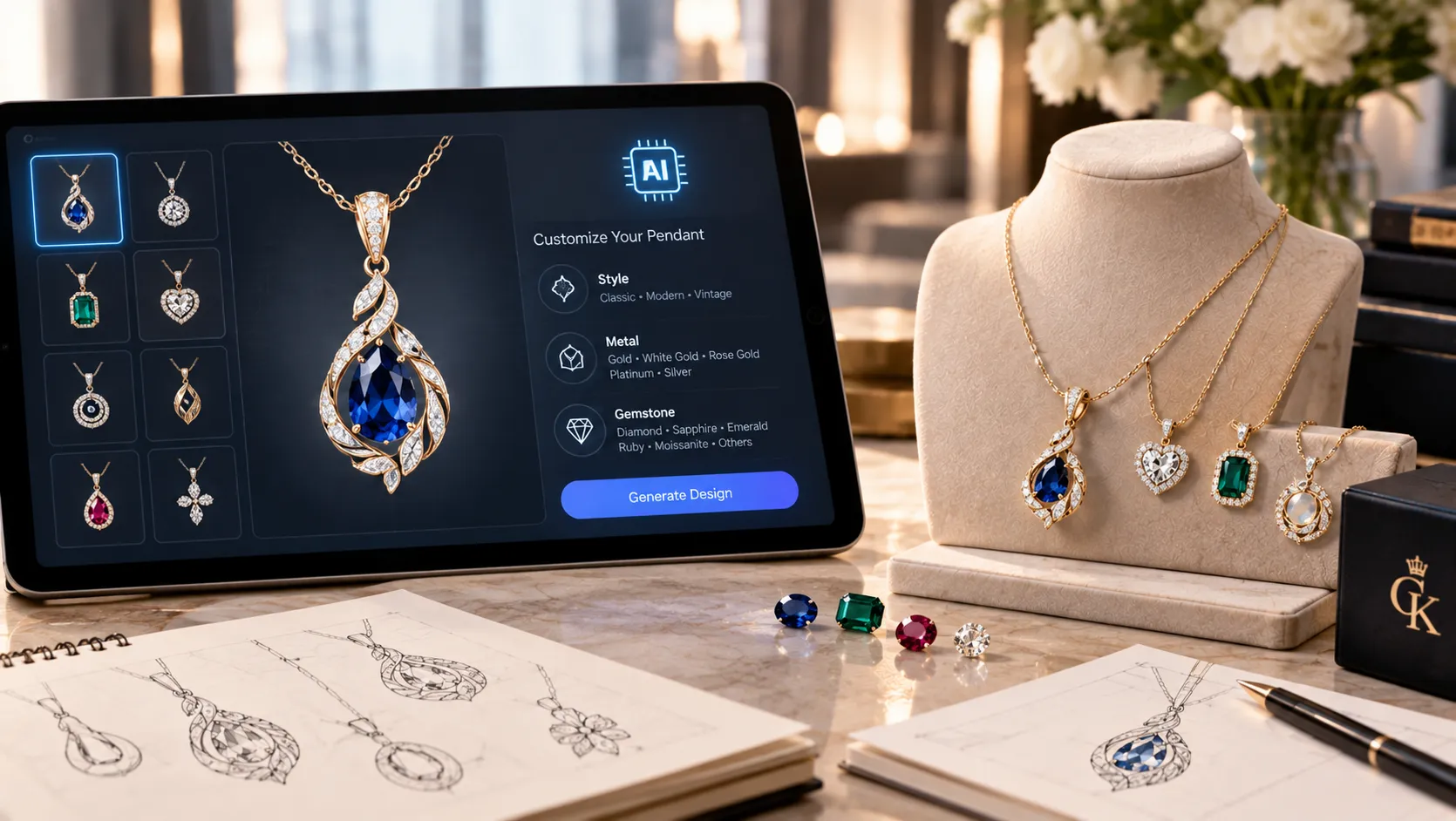
A custom pendant often starts with a simple idea: a name, symbol, gemstone, meaningful shape, family emblem, or sketch. Turning that idea into a finished piece of jewelry traditionally requires a designer to interpret the concept, create drawings, develop CAD models, and refine the design before manufacturing.
Artificial intelligence is changing the early part of this process. AI image-generation tools can turn written descriptions, sketches, and reference images into pendant concepts within seconds. This makes it easier to explore different shapes, metals, gemstones, textures, and styles before moving into professional jewelry design.
However, an AI-generated pendant image is not automatically a production-ready jewelry model. The most useful approach is to treat AI as a concept and visualization tool, followed by professional CAD development and manufacturing review.
What Is AI Pendant Design?
AI pendant design uses generative artificial intelligence to create visual concepts from text or image prompts.
For example, someone could enter:
“A contemporary 14K yellow gold pendant featuring a pear-shaped sapphire surrounded by small diamonds, suspended from a delicate cable chain.”
An AI image generator can interpret these instructions and produce a visual representation of the pendant.
The process can then be repeated with different variations. You could change the sapphire to an emerald, replace yellow gold with platinum, remove the diamond halo, make the pendant geometric, or add an engraved initial.
The Gemological Institute of America (GIA) has examined generative AI specifically as a tool for jewelry design and describes its usefulness for rapidly generating and refining jewelry concepts from text and image prompts.
How Does AI Pendant Design Work?
1. Start With an Idea
You do not need a finished sketch to begin. Your starting point can be a basic concept such as:
- Initial pendant
- Name pendant
- Birthstone pendant
- Diamond pendant
- Heart pendant
- Cross pendant
- Religious pendant
- Family pendant
- Geometric pendant
- Floral pendant
- Men’s statement pendant
- Personalized photo pendant
The idea can be broad initially. You can add technical and aesthetic details as you refine it.
2. Describe the Pendant
The quality and specificity of your instructions can influence the resulting concept.
Consider describing:
- Pendant shape
- Metal type
- Gold karat
- Gemstones
- Diamond shape
- Stone arrangement
- Surface finish
- Chain style
- Design style
- Approximate proportions
- Personalization
- Intended wearer
For example:
“Create a minimalist 18K rose gold pendant with a circular frame, a small round diamond in the center, delicate pavé detailing around the edge, polished finish and a fine cable chain.”
This gives the AI considerably more direction than simply asking for a “rose gold pendant.”
3. Generate Multiple Concepts
One of the biggest advantages of AI is the ability to explore alternatives quickly.
You might generate:
- Concept A: Yellow gold + sapphire
- Concept B: White gold + diamond
- Concept C: Rose gold + ruby
- Concept D: Platinum + diamond halo
You can then identify the elements you prefer and use them to create another iteration.
GIA’s research describes this iterative approach as a form of AI-assisted ideation, where a generated jewelry image can become the starting point for additional variations.
4. Use a Sketch or Reference Image
AI does not have to work exclusively from text.
A hand-drawn pendant sketch can be uploaded as a reference, allowing the AI to create a more realistic visualization while retaining aspects of the original concept.
Modern image-generation workflows also support reference images for controlling composition or visual style. Adobe Photoshop, for example, currently allows users to provide reference images alongside prompts when generating images.
This can be especially useful for people who can draw their idea but cannot create a realistic jewelry rendering themselves.
Pendant Ideas You Can Explore With AI
AI can be useful for experimenting with a wide range of pendant concepts.
Personalized Initial Pendants
Initial pendants can be explored in different typography and structural styles.
You can experiment with:
- Single initials
- Double initials
- Interlocking letters
- Monograms
- Initials surrounded by gemstones
- Script-style lettering
- Geometric lettering
Because AI-generated text can sometimes contain inaccurate or distorted characters, the final lettering should be recreated precisely during the CAD stage.
Name Pendants
AI can help visualize how a name might look as a pendant before deciding on the final typography.
You can experiment with script, serif, minimalist, block, or decorative lettering.
The AI concept should not be treated as the final specification for the exact lettering. The name, font and dimensions need to be confirmed before manufacturing.
Birthstone Pendants
Birthstone jewelry is another useful application.
You can use AI to compare combinations such as:
- Sapphire with white gold
- Ruby with yellow gold
- Emerald with platinum
- Amethyst with rose gold
- Garnet with yellow gold
This allows you to explore the visual relationship between gemstone color and metal before finalizing the design.
Diamond Pendants
AI can visualize solitaire, halo, cluster, geometric and contemporary diamond pendant concepts.
However, a generated image should not be interpreted as representing a particular diamond’s actual quality or specifications. The image does not establish its carat weight, clarity, color grade, cut, certification or physical dimensions.
Symbolic Pendants
AI can also be useful when creating pendants around meaningful symbols.
Examples include:
- Family symbols
- Religious motifs
- Cultural patterns
- Nature-inspired designs
- Zodiac symbols
- Abstract shapes
- Architectural elements
The technology can help translate an abstract idea into several visual directions.
AI Pendant Design vs. CAD Design
This is one of the most important distinctions to understand.
AI image generation creates a visual concept. CAD creates a structured three-dimensional jewelry model.
An AI-generated pendant may look realistic while containing design elements that would be difficult or impossible to manufacture.
GIA’s CAD/CAM guidance emphasizes that jewelry CAD needs to account for scale, proportion, element relationships, cost, size, style and manufacturing methods.
For a pendant, professional CAD development may need to determine:
- Exact pendant dimensions
- Metal thickness
- Stone dimensions
- Stone-setting structure
- Prong dimensions
- Bail size
- Chain connection
- Overall weight
- Wearability
- Manufacturing method
- Casting requirements
This is why an attractive AI image should be considered a starting point rather than a manufacturing blueprint.
Can an AI Pendant Design Become Real Jewelry?
Yes. The AI concept can become the visual reference for a professionally developed piece.
A typical workflow can look like:
Idea → AI Concept → Design Refinement → CAD → Technical Review → Prototype → Manufacturing
After the preferred concept has been selected, a jewelry designer can recreate it as a CAD model.
The CAD model can then be evaluated for proportions, structural strength, stone placement, wearability and manufacturing feasibility.
GIA’s Jewelry Design & Technology program describes a similar progression from jewelry concept to CAD, engineering specifications, prototyping and manufacturing considerations.
This distinction is particularly important for delicate pendants. A design that appears elegant in a two-dimensional image may require changes to the bail, connecting points or metal thickness before it can be safely manufactured.
Benefits of AI for Custom Pendant Design
Faster Visualization
Instead of spending considerable time creating an initial illustration, AI can provide visual concepts rapidly.
This is useful when you have a general idea but are uncertain about its final appearance.
Explore More Variations
A single idea can produce many alternatives.
You can experiment with different:
- Metals
- Gemstones
- Shapes
- Textures
- Finishes
- Settings
- Chain styles
- Design aesthetics
Easier Communication
A visual concept can make communication between a customer and jewelry designer easier.
Rather than saying that you want a “modern but slightly vintage pendant,” you can show a reference concept and identify exactly which elements you like.
Useful for Early Customization
AI is particularly useful before investing time in detailed CAD development.
GIA’s research notes that AI-generated visualizations can help designers and sales professionals explore variations from sketches before moving into more labor-intensive CAD work.
Limitations of AI Pendant Design
AI has significant creative potential, but it also has limitations.
AI Does Not Automatically Understand Jewelry Engineering
A generated pendant may have:
- Extremely thin metal
- Weak connections
- Unrealistic stone settings
- Incorrect proportions
- Floating or unsupported components
- Impractical bails
GIA’s research specifically notes that current generative AI tools can produce jewelry design irregularities and do not inherently understand whether a design can actually be manufactured.
Gemstones Are Not Technically Accurate
AI can create visually convincing diamonds and gemstones, but the resulting image should not be used to determine the actual specifications of a stone.
Text Can Be Distorted
Names, initials and dates can be incorrectly generated. Always verify personalized text separately.
The Image Is Not a CAD File
A photorealistic rendering does not contain all the information required to manufacture the jewelry.
Professional CAD development remains necessary when the design is moving toward production.
How to Write an Effective AI Pendant Prompt
A useful prompt can follow this structure:
Pendant type + metal + gemstone + setting + personalization + style + presentation
For example:
“Create a sophisticated 14K yellow gold pendant featuring a pear-shaped emerald surrounded by a delicate diamond halo, suspended from a fine cable chain. Minimalist luxury design, polished finish, balanced proportions, realistic fine-jewelry product rendering on a neutral background.”
You can then refine individual elements.
For example:
Change the metal:
“Replace the yellow gold with platinum.”
Change the gemstone:
“Replace the emerald with an oval blue sapphire.”
Change the style:
“Make the design Art Deco inspired with geometric lines.”
Change the personalization:
“Add a small engraved initial to the back of the pendant.”
This iterative approach allows you to explore the design without starting from zero every time.
From AI Concept to Finished Pendant
The most effective workflow combines AI visualization with professional jewelry expertise.
Start by developing several AI concepts. Select the design elements that best represent your idea. Then provide the chosen concept, sketch or reference image to a professional jewelry designer.
The design can be recreated in CAD with exact measurements and engineering considerations.
At this stage, the designer can determine whether:
- The pendant is structurally sound
- The stones can be securely set
- The bail is appropriate
- The metal thickness is suitable
- The proportions are comfortable
- The design can be manufactured efficiently
GIA describes CAD as a tool for creating manufacturable jewelry models while considering engineering, scale, proportion and manufacturing requirements.
Conclusion
AI pendant design makes it easier to move from a simple idea to a visual jewelry concept. Whether you are imagining a personalized initial pendant, birthstone design, diamond pendant, symbolic piece or an entirely original creation, AI can help you explore different possibilities quickly.
The most useful way to approach the technology is to consider AI the ideation and visualization stage, rather than the complete jewelry-making process. AI can generate attractive concepts, but professional CAD development is still needed to establish accurate dimensions, stone settings, structural details and manufacturing requirements.
For anyone looking to turn an AI-generated idea, sketch or reference into a personalized piece, Custom Karat can help develop the concept into custom jewelry based on the preferred metal, gemstones, personalization and design requirements. The AI-generated image can serve as a starting point for communicating the idea, while professional design and manufacturing processes help transform that concept into a finished pendant.
Reference URLs
- https://www.gia.edu/gems-gemology/fall-2024-artificial-intelligence-in-jewelry-design
- https://www.gia.edu/gem-education/program-jewelry-design-cad-cam
- https://www.gia.edu/gem-education/program-jewelry-design-technology
- https://helpx.adobe.com/in/photoshop/desktop/create-open-import-images/create-images/use-reference-images-for-consistent-results.html
- https://helpx.adobe.com/photoshop/desktop/create-open-import-images/create-images/generate-images-using-reference-image.html
- https://www.gia.edu/research-news-real-or-rendered

About Author Priyanka Kale
Priyanka Kale is a jewelry retail industry author who shares knowledge on diamonds, lab-grown jewelry, custom designs, and jewelry buying tips. Her content helps customers understand quality, pricing, trends, and craftsmanship before making confident jewelry purchase decisions.